The Evolution of Casual Gaming: From Flash to HTML5
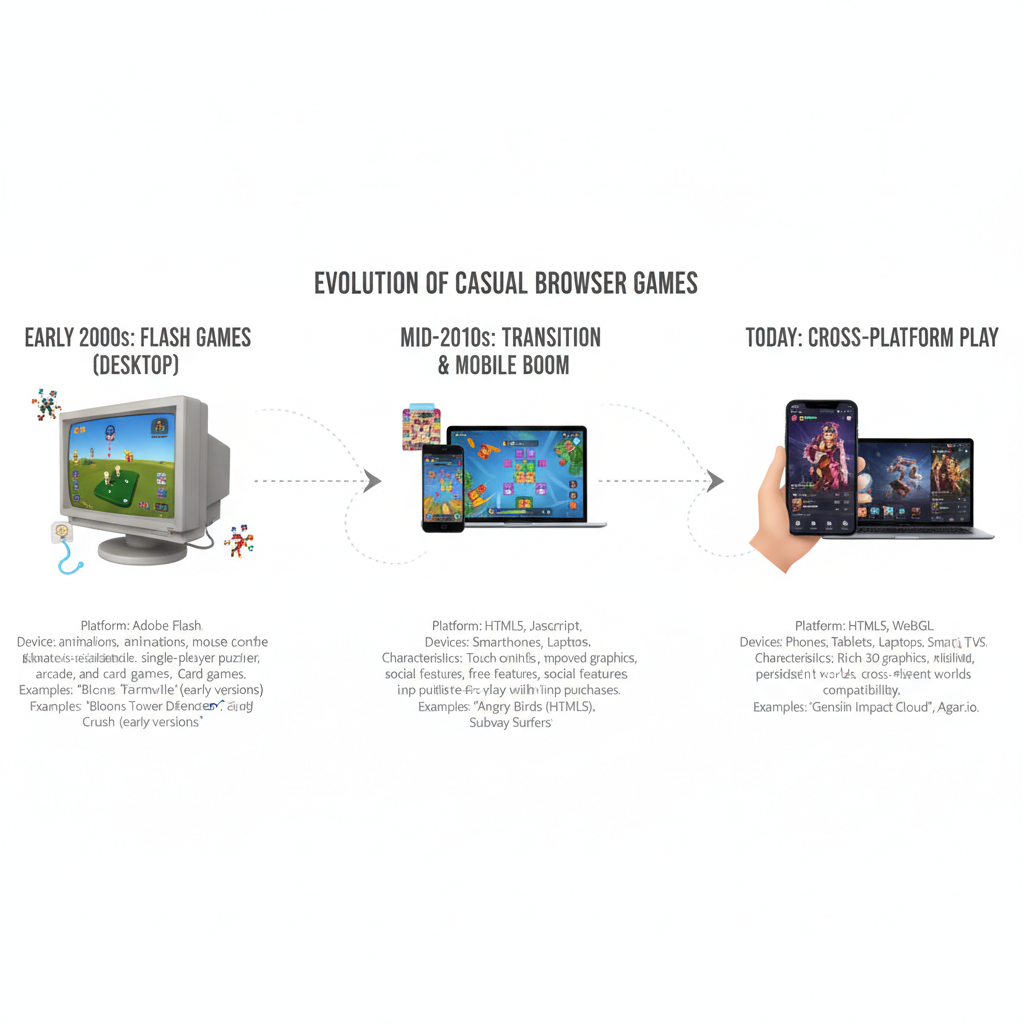
Casual gaming has always been shaped by convenience. Players want a game that starts quickly, explains itself clearly, and fits into a short break. For years, Adobe Flash delivered that experience through web browsers. Today, HTML5, JavaScript, and modern web standards support browser games that work across desktops, tablets, and smartphones with far fewer barriers.
This transition changed more than the technology behind a game. It altered how developers build experiences, how portals distribute them, and how players move between devices. The path from Flash to HTML5 is a useful story about accessibility, performance, security, and the continuing appeal of instant play.
The Rise of Flash Browser Games
Flash browser games made interactive entertainment widely available by running inside web browsers without a conventional installation. A player could visit a website, wait for a small game to load, and begin playing with a keyboard or mouse.
Before Flash became dominant, rich interaction on the web was more difficult to deliver consistently. Adobe Flash packaged animation, sound, vector graphics, and input handling into a format that websites could embed. That gave independent creators a practical way to publish games alongside animations, advertisements, and interactive media.
Flash helped establish the familiar browser-game format: a title screen, a short tutorial, a compact play area, and a clear objective. Puzzle games, arcade challenges, tower defense, platformers, card games, and time-management titles all fit naturally into this model.
Game portals made discovery easier. Instead of searching for individual developers, players could browse categories, compare ratings, and move from one game to another. The browser became a lightweight distribution channel, while Flash provided much of the technical foundation.
Why Flash Became a Casual Gaming Favorite
Flash became a casual gaming favorite because it combined low entry barriers, familiar controls, and short-session game design. Players usually needed only a web browser, a Flash plug-in, and a stable internet connection.
The format appealed to people who did not consider themselves dedicated gamers. A five-minute puzzle or a simple cooking simulation required little preparation. There was no large download, installation wizard, or lengthy commitment. That instant access encouraged experimentation: if one game failed to hold attention, another was only a click away.
Flash also supported a broad range of visual styles. Small teams could create colorful games with relatively modest resources, while larger portals could host thousands of titles. Developers learned to design around clear feedback, simple progression, and repeatable challenges. These principles still influence modern casual gaming.
- Short sessions: Games could be completed or meaningfully advanced in minutes.
- Simple controls: Mouse clicks and a few keyboard keys lowered the learning curve.
- Portal discovery: Categories, rankings, and recommendations helped players find new titles.
- Broad appeal: The audience included office workers, students, families, and occasional players.
The trade-off was that the experience depended on a separate piece of software. At first, that requirement seemed minor. As browsers and devices changed, it became a growing weakness.
The Limitations That Led to Flash’s Decline
Flash declined because plug-in dependence, security problems, performance costs, and weak mobile support conflicted with the direction of the modern web. Browser vendors gradually removed support, while developers moved toward native browser technologies.
The plug-in model created friction. A player might see a blank game area, an installation prompt, or a warning that the current version was unsupported. Updates could also produce compatibility problems between Adobe Flash, the operating system, and the web browser.
Security became another major concern. Because Flash content operated through an additional runtime, vulnerabilities in the plug-in could create risks beyond a single game. Security researchers and browser companies repeatedly encouraged users to update or disable outdated versions. The need for frequent patches reduced confidence in the platform.
Performance presented a practical limitation as well. Flash games could run smoothly on a desktop but consume noticeable processor power, especially when several animated elements, sounds, or advertisements loaded at once. Older computers sometimes experienced lag, overheating, or browser crashes.
Mobile gaming exposed the largest gap. Touchscreens, smaller displays, battery limits, and changing mobile-browser policies made the desktop-oriented plug-in model difficult to maintain. Flash content was not designed around responsive layouts, and many games assumed a mouse pointer rather than touch input.
The shift away from Flash was therefore driven by several forces at once. Web standards favored built-in capabilities, browsers prioritized security, and players expected games to work on phones without installing extra software. The result was a gradual migration rather than a single change in game design.
The Shift to HTML5 Gaming
HTML5 gaming uses browser-native technologies such as HTML, JavaScript, and Canvas to deliver interactive experiences without a separate plug-in. This approach made games easier to access and better aligned with modern web standards.
HTML5 itself is not a single game engine. It is a collection of capabilities within the web platform. HTML structures the page, JavaScript controls game logic and interaction, and technologies such as Canvas and WebGL help render two-dimensional and three-dimensional visuals. Audio, storage, networking, and touch events can also be handled through browser APIs.
For players, the most visible difference is simple: open a supported browser, visit a game page, and play. There is no Flash installation step. This removes one of the most common points of failure in the older experience.
For developers, the move required real work. Flash projects often needed to be rebuilt or substantially adapted. Input systems had to support touch, layouts needed to respond to different screen sizes, and performance had to be tested across a wider range of devices. A direct conversion was not always the best solution because the assumptions of desktop Flash games did not automatically fit mobile play.
HTML5 also made distribution more flexible. A game could be embedded in a portal, published as a standalone website, or packaged for other environments using web technologies. Developers gained reach, although they also faced more browser differences and a larger testing workload.
Technical guidance from organizations such as the World Wide Web Consortium reflects the broader move toward open, interoperable web standards rather than proprietary plug-ins.
How HTML5 Changed the Browser Game Experience
HTML5 changed browser games by improving device compatibility, reducing setup time, and making responsive design practical. A single game can now adapt its controls and layout for a laptop, tablet, or smartphone.
Cross-platform compatibility became a central design goal. On a desktop, a player may use a mouse and keyboard; on a phone, the same game may rely on taps, swipes, or virtual buttons. Responsive interfaces can resize menus and play areas, while touch-aware controls prevent small screens from feeling like reduced versions of desktop pages.
HTML5 also improved access to instant play. A browser game can load assets progressively, cache frequently used files, and avoid the interruption of a plug-in prompt. This does not make every game fast. Large art files, inefficient JavaScript, advertisements, or a poor network connection can still cause delays. The difference is that developers have more direct control over optimization.
- Accessibility: Players can start without installing proprietary software.
- Performance: Efficient rendering and asset management can reduce unnecessary processing.
- Device reach: Modern web browsers support desktops, tablets, and smartphones.
- Responsive design: Interfaces can adapt to screen size and orientation.
- Input flexibility: Games can combine mouse, keyboard, touch, and sometimes gamepad controls.
There are compromises. Browser behavior can vary, mobile hardware is uneven, and richer graphics may increase loading time. Choosing HTML5 for broad reach means accepting the need for careful testing across browsers, operating systems, screen sizes, and network conditions.
Modern Casual Gaming in the Browser
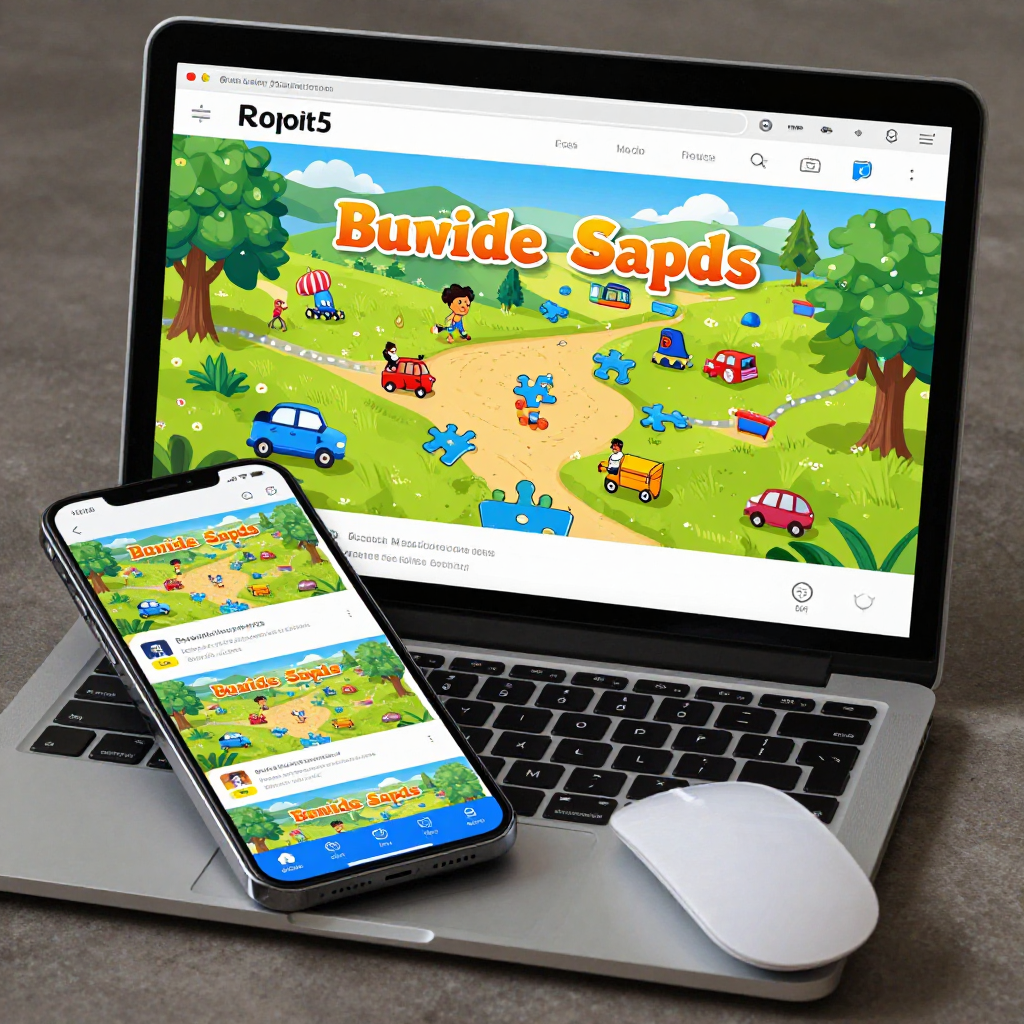
Modern casual browser gaming focuses on instant access, lightweight sessions, and continuity across everyday devices. HTML5 allows game portals to serve players who move between desktop workstations, tablets, and smartphones.
Contemporary players expect a page to work immediately. They may be waiting for transport, taking a short break, or looking for a quick mental challenge. That context favors games with fast loading, readable interfaces, forgiving tutorials, and progress systems that do not demand long uninterrupted sessions.
Game portals have adapted by organizing experiences around genres, popularity, new releases, and personalized recommendations. Many titles remain deliberately lightweight, but modern browser games can also include richer animation, online leaderboards, cloud-connected profiles, multiplayer features, and synchronized progress.
Accessibility now includes more than removing a plug-in. Developers must consider text size, color contrast, audio controls, touch-target dimensions, keyboard navigation, and performance on older phones. A game that technically loads everywhere may still exclude players if its buttons are too small or its instructions depend only on color.
For developers, the strongest casual design often follows a practical framework: start, understand, return. The player should start quickly, understand the goal within moments, and have a reason to return without being overwhelmed by systems. This framework explains why the best browser games often feel immediately playable even when they contain substantial depth underneath.
What Comes Next for Browser Games
The future of browser games will likely combine richer graphics, cloud-connected features, touch-first design, and continued cross-platform access. HTML5 provides the foundation, while JavaScript engines, WebGL, WebAssembly, and improved browser APIs expand what can run online.
Graphics will continue to improve, but visual complexity will not be the only measure of progress. For casual gaming, a faster first interaction may matter more than a larger download. Developers are likely to prioritize adaptive asset quality, efficient caching, and interfaces that remain usable on modest hardware.
Cloud-connected features can add account-based progress, achievements, social competition, and shared events. These features introduce responsibilities, including privacy protection, dependable account recovery, and sensible handling of personal data. A connected browser game can be more convenient, but it also becomes more dependent on servers and network availability.
Touch support will remain important as mobile gaming continues to overlap with browser play. Voice input, gamepad support, accessibility settings, and better offline behavior may broaden participation further. WebAssembly can help demanding systems run efficiently, although advanced technology does not remove the need for good design.
The central advantage of browser games remains unchanged: they meet players where they already are. From Flash portals to HTML5 platforms, casual gaming has evolved by reducing friction while preserving the pleasure of a quick, understandable challenge.
Frequently Asked Questions About Flash and HTML5 Games
What was the role of Flash in browser gaming?
Adobe Flash provided a widely used runtime for animation, audio, and interactive games inside web browsers. It helped popularize portals filled with short, accessible casual games.
Why did browser games move from Flash to HTML5?
Browser games moved from Flash because plug-in support created security, compatibility, and performance problems. HTML5 uses browser-native technologies and works more naturally across modern desktop and mobile devices.
Can HTML5 games work on mobile devices?
Yes. HTML5 games can run on smartphones and tablets through compatible web browsers. Developers still need to optimize touch controls, screen layouts, loading behavior, and battery use.
Are HTML5 browser games safer or more accessible than Flash games?
HTML5 is generally more accessible because it does not require a separate plug-in. It can also reduce risks associated with outdated runtimes, although the safety of any game still depends on its website, advertising, code, and data practices.
What is the future of casual browser gaming?
The future will likely include faster loading, responsive touch interfaces, richer graphics, cloud saves, social features, and wider support for different input methods. The strongest experiences will continue to make starting a game feel effortless.